End every stream with content in the bank.
Press one hotkey when something good happens. QuickClips captures the moment live, then turns it into a TikTok, Short, or Reel in minutes. No VOD scrubbing. No AI guessing. No editing marathons.
Sound Familiar?
Real streamers, real workflow pain. Begging for clips, scrubbing VODs at 1.5x, watching AI miss the good stuff. QuickClips was built to kill all three.
I've been begging my viewers for years to clip funny moments, but no one clips!!
I watch all my VODs at 1.5x speed, audio only, while I work my 9-5. If something makes me laugh, I rewind and clip it.
Twitch's AI clipper? Pirate Software called it 'auto-slop garbage.' It picks random moments, not your best ones.
QuickClips vs AI Clippers
AI tools promise speed, then miss your best moments and eat the time they saved you. Here's the real trade-off.
Built to Kill the Clipping Tax
Everything that used to eat your post-stream hours (capture, edit, caption, export) collapsed into one desktop app.
Hit your hotkey when something good happens. The clip is saved instantly, so you never scrub a 4-hour VOD tomorrow.
One click, one 1080x1920 file. Split or fullscreen layout, ready for TikTok, Shorts, and Reels.
Auto-generated captions with animated styles. Skip CapCut, skip the re-export.
Uses Twitch's clip API, so nothing records locally. Your GPU stays focused on your game.
Your content is yours. We don't plaster our logo on your clips or interrupt your workflow with ads.
Mods can install QuickClips and clip with their own hotkey, so your content bank fills up while you focus on the game.
From "something good just happened" to posted, in minutes.
Six steps. No VOD review. No editing marathon.
Get QuickClips and install it on your Windows PC. Setup takes less than a minute.
Link your Twitch account and set your hotkey. Default is Ctrl + Alt + J customise it to anything you want.
Something pops off on stream? Tap the key. The last 60 seconds is saved to Twitch before you've finished laughing. No recording, no scrubbing later.
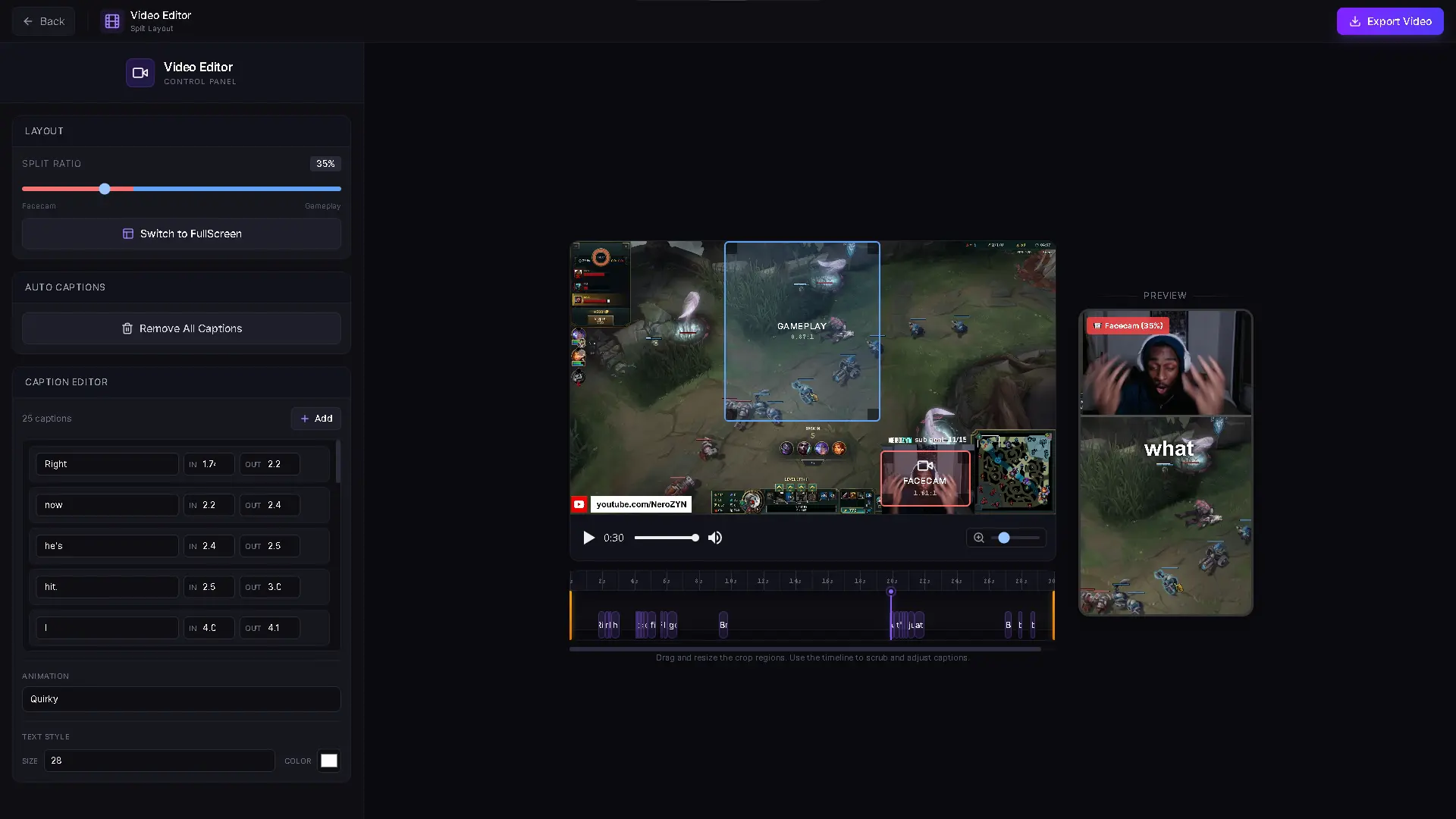
Open any clip, trim it, pick split or fullscreen, and position your facecam and gameplay. Minutes, not hours.
AI captions land automatically with animated styles. No second app, no re-export.
Export as a vertical 1080x1920 video and drop it straight into TikTok, YouTube Shorts, or Instagram Reels.
Frequently Asked Questions
Got questions? We've got answers.
Yes! QuickClips is free to download and use. AI captions and core clipping and export are free. We offer optional Premium for extra convenience clip sorting, tags, layout presets, and more but you'll never hit a paywall just to clip and export.
AI clippers can be useful for surfacing volume from a VOD after the fact, but they work by guessing what mattered after your stream ended. QuickClips is the opposite: you press a key the instant something good happens, and the clip is captured live, before the moment is lost. Use both if you want, but if you want the clips you actually care about, you'll want to capture them yourself.
Not at all. QuickClips uses Twitch's clip API, so it doesn't record anything locally. Your CPU and GPU stay 100% focused on your game. The clip is created server-side by Twitch.
Yes, QuickClips works by creating Twitch clips, so you need to be streaming. When you press your hotkey, it captures the last 60 seconds of your broadcast as a clip.
Yes. You may see a Windows SmartScreen warning during installation this is normal for indie software without an expensive code signing certificate. We provide a VirusTotal scan on our download page so you can verify the file is clean with 70+ antivirus engines.
Currently QuickClips is Windows only. Mac and Linux support may come in the future based on demand.
Yes. Mods install QuickClips, link their Twitch account, and get their own hotkey. Anything they clip lands in your library, which helps when you're locked into a clutch and can't reach the keyboard.